This blogpost continues my series of blogposts in the field of Microsoft SQL Server performance optimization. Last time we learned how to build the best performing composite indexes from logical hierarchies. In this blogpost, I will show you how in the T-SQL world, OR vs UNION ALL is not always what it seems. You may be surprised!
Setting the scene
In my last blogpost, I had created a Fact table (F_DATABASE_STATISTICS) and a referred dimension table (D_DATABASE) in a star schema on SQL Server 2022. For this exercise, I have set max degree of parallelism to 6 and cost threshold for parallelism as low as 5.
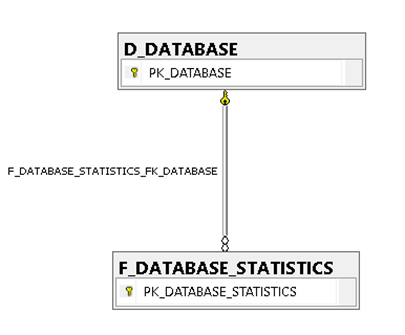
From our earlier exercise, in addition to the clustered identity id primary key, we have the following indexes in the D_DATABASE table:

And the column cardinality is as follows:

The OR approach
Let's build a query that fetches the average CPU usage per database for several instances at once, using an OR operator to combine the different search conditions in the WHERE clause:
DBCC DROPCLEANBUFFERS;
SET STATISTICS TIME ON;

SELECT
     [DATABASE_NAME],
     AVG(PK_DATABASE) AS RANDOM_METRIC
FROM
     D_DATABASE
WHERE
     [INSTANCE_NAME] = 'MYINSTANCE1' OR
     [INSTANCE_NAME] = 'MYINSTANCE2' OR
     [INSTANCE_NAME] = 'MYINSTANCE3' OR
     [INSTANCE_NAME] = 'MYINSTANCE4' OR
     [INSTANCE_NAME] = 'MYINSTANCE5' OR
     [INSTANCE_NAME] = 'MYINSTANCE6'
GROUP BY
     [DATABASE_NAME];
Now let's compare the actual query plans of the OR query and the equivalent UNION ALL query:
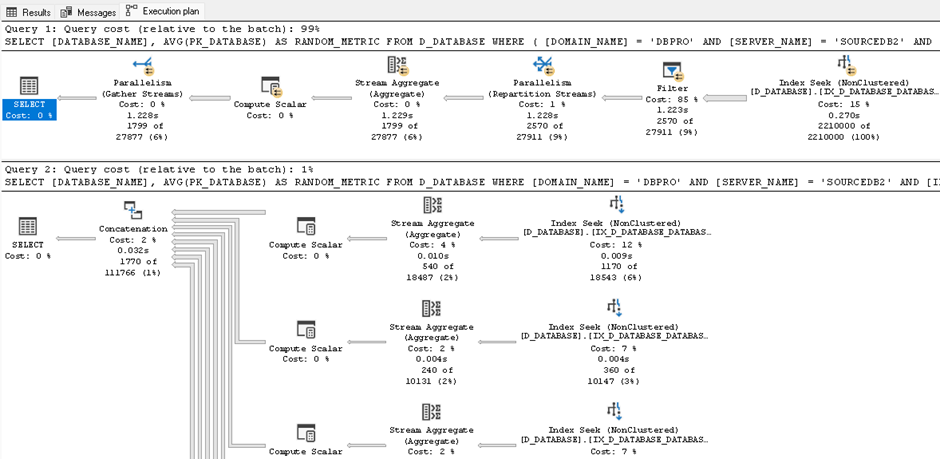
The judgement is clear: the OR query seems to consume about 99 times more resources than the UNION ALL query! The Filter operator appears to split the OR query's WHERE clause into multiple threads, one for each OR part of the query.

The UNION ALL approach
Now let's rewrite the same logic using UNION ALL, giving each instance its own SELECT that the engine can seek and aggregate independently:
SELECT
     [DATABASE_NAME],
     AVG(PK_DATABASE) AS RANDOM_METRIC
FROM
     D_DATABASE
WHERE
     [INSTANCE_NAME] = 'MYINSTANCE1'
GROUP BY
     [DATABASE_NAME]

UNION ALL

SELECT
     [DATABASE_NAME],
     AVG(PK_DATABASE) AS RANDOM_METRIC
FROM
     D_DATABASE
WHERE
     [INSTANCE_NAME] = 'MYINSTANCE2'
GROUP BY
     [DATABASE_NAME]

-- ... repeated for each instance ...;CPU time = 0 ms, elapsed time = 106 ms.
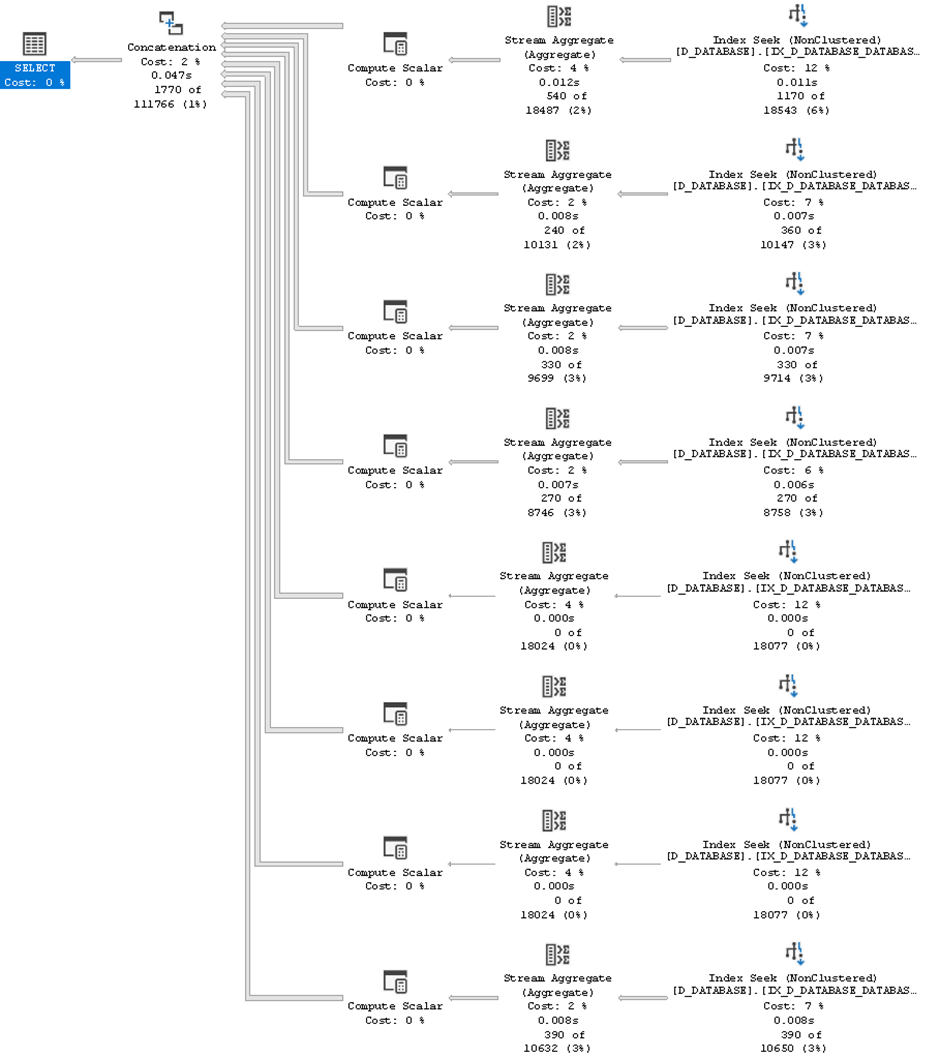
Well, that was fast! (best out of 5 executions) Here we can see the power of parallelization in the query execution plan:
What happens to the CPU?
For a curiosity, let's see what happens to the CPU with these two queries. This is an excerpt from the OR query's CPU footprint with 50 iterations — the OR query duration for 50 iterations was 59 seconds:
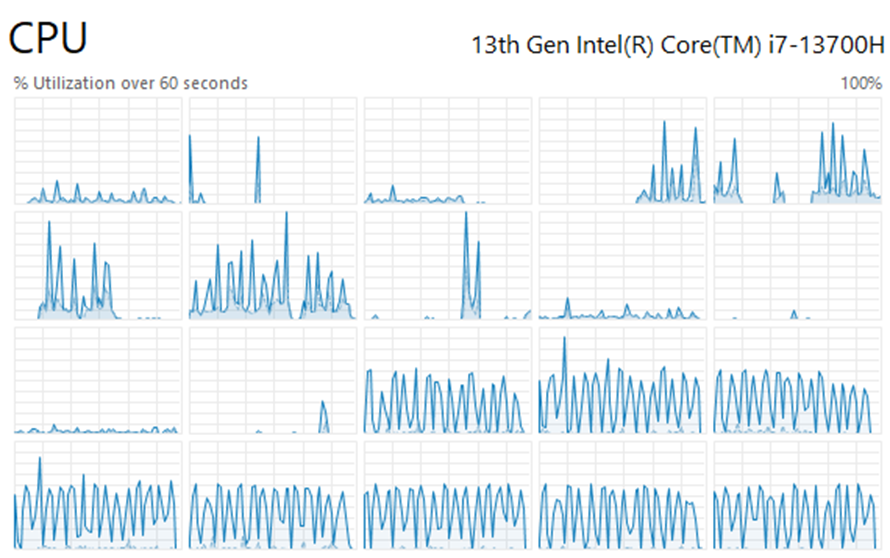
And here is the UNION ALL query's CPU footprint with 50 iterations — what a difference! The UNION ALL query execution time for 50 iterations dropped by about 30x, into just 2 seconds:
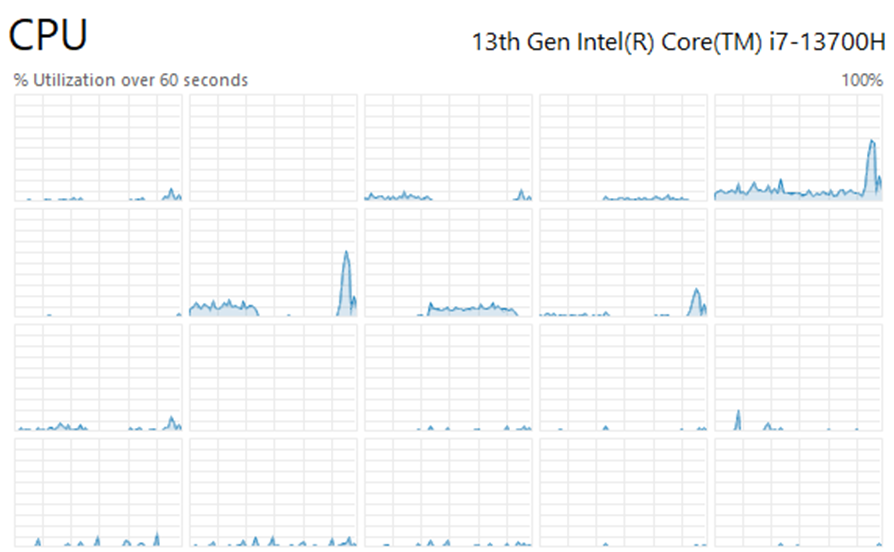
As can be seen, the OR query spreads the query across a multitude of threads and consumes dramatically more CPU than the UNION ALL query.
Performance comparison results
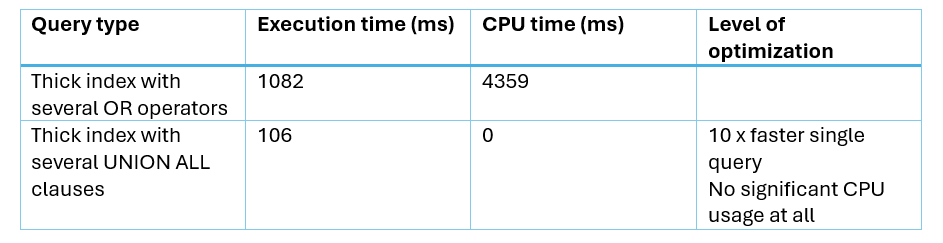
Here are the SQL Server performance results for a single query:
| Query type | Execution time (ms) | CPU time (ms) | Level of optimization |
|---|---|---|---|
| Thick index with several OR operators | 1082 | 4359 | — |
| Thick index with several UNION ALL clauses | 106 | 0 | ~10x faster single query, no significant CPU usage at all |
Lessons learned
Today we learned that OR vs UNION ALL performance is not always what it seems: it depends. UNION ALL can make a huge difference compared to the OR operator in query performance and overall server resource usage. With this said, it is still good to acknowledge that too many simultaneous UNION ALL clauses may produce context switching and CX_PACKET waits on a larger scale, so use it wisely.
The theory is only half of the meal served. Stay curious and pay attention to details. In the realm of SQL Server, never believe it before you have seen it.

Jani K. Savolainen
Founder & CTO, SQL Governor